flowAI, the agentic platform that prepares, captures and reports on our seminars
flowAI is the agentic platform Flow Design has been building since 2025 to prepare, capture and report on seminars. It acts as the production project manager alongside the facilitation team: flowAI smooths production, it does not produce in place of people.
Where flowAI makes the difference
- A large group has to be split into mixed teams, then rebuilt when people are missing.
- Dozens of sticky-note walls need to become a synthesis before the day is over.
- The seminar runs in several languages.
- The report has to arrive fast, in your branding, with every sentence traceable.
- A training course has to produce its paperwork without retyping.
What does flowAI cover, from scoping to deliverable?
Fifteen capabilities that cover the whole production chain of a seminar. Each one is already in use on our assignments. The heavy lifting (teams, room layout, badges) is done by tested code: same input, same result. The AI chooses and sets parameters. It does not make up the method.
- Before
Prepare
5 steps- 01
Scoping
Meeting notes and documents read and filed, with the missing questions.
- 02
Run of show
Your Google Sheet stays the reference, timings recalculate.
- 03
Teams
Mixed according to your rules, reshuffled during the day.
- 04
Room layout
Rooms and zones on your floor plans, capacities respected.
- 05
Production
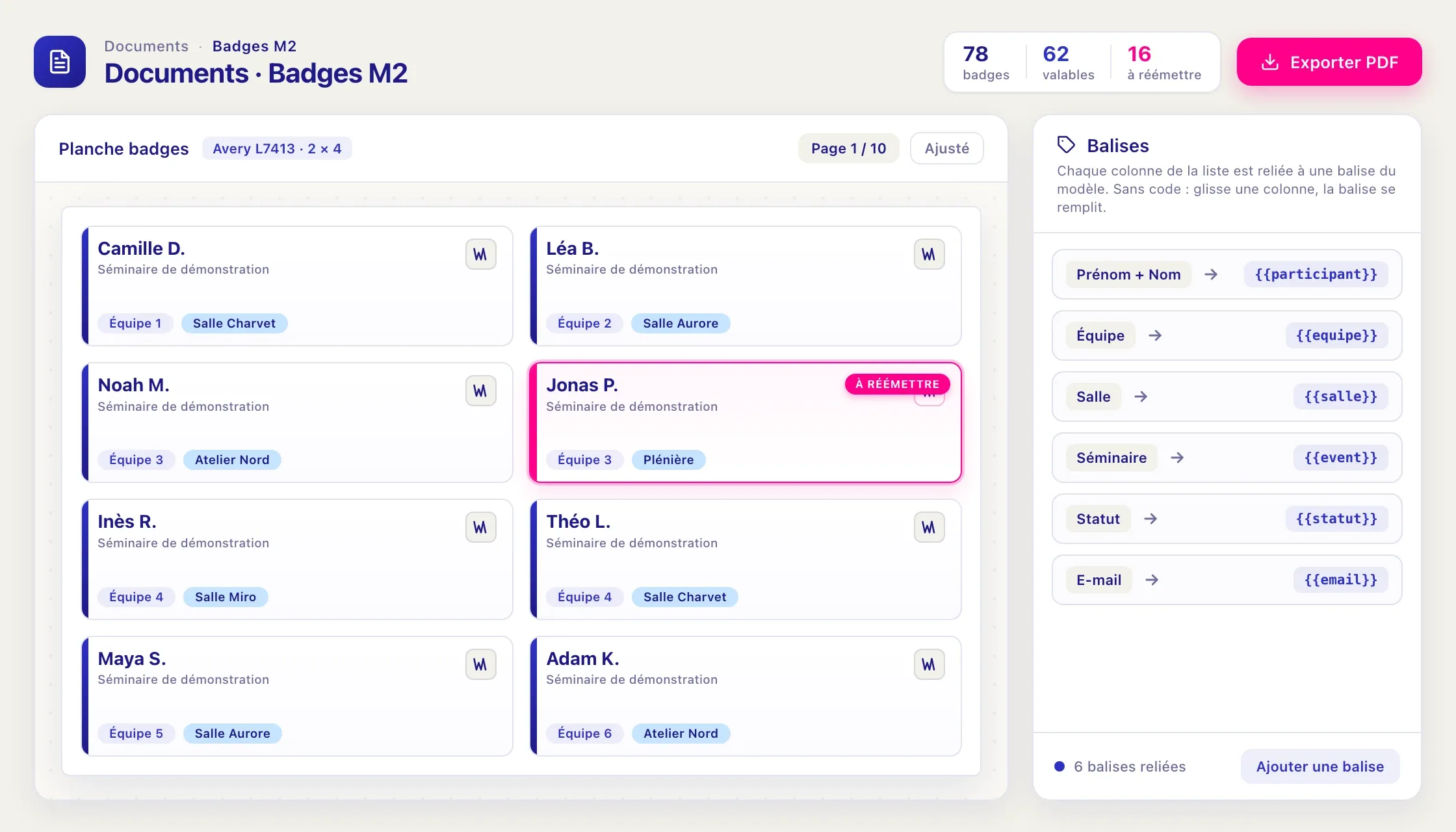
Badges, lists and slides from your own templates.
- 01
- During
Run and capture
7 steps- 06
On the ground
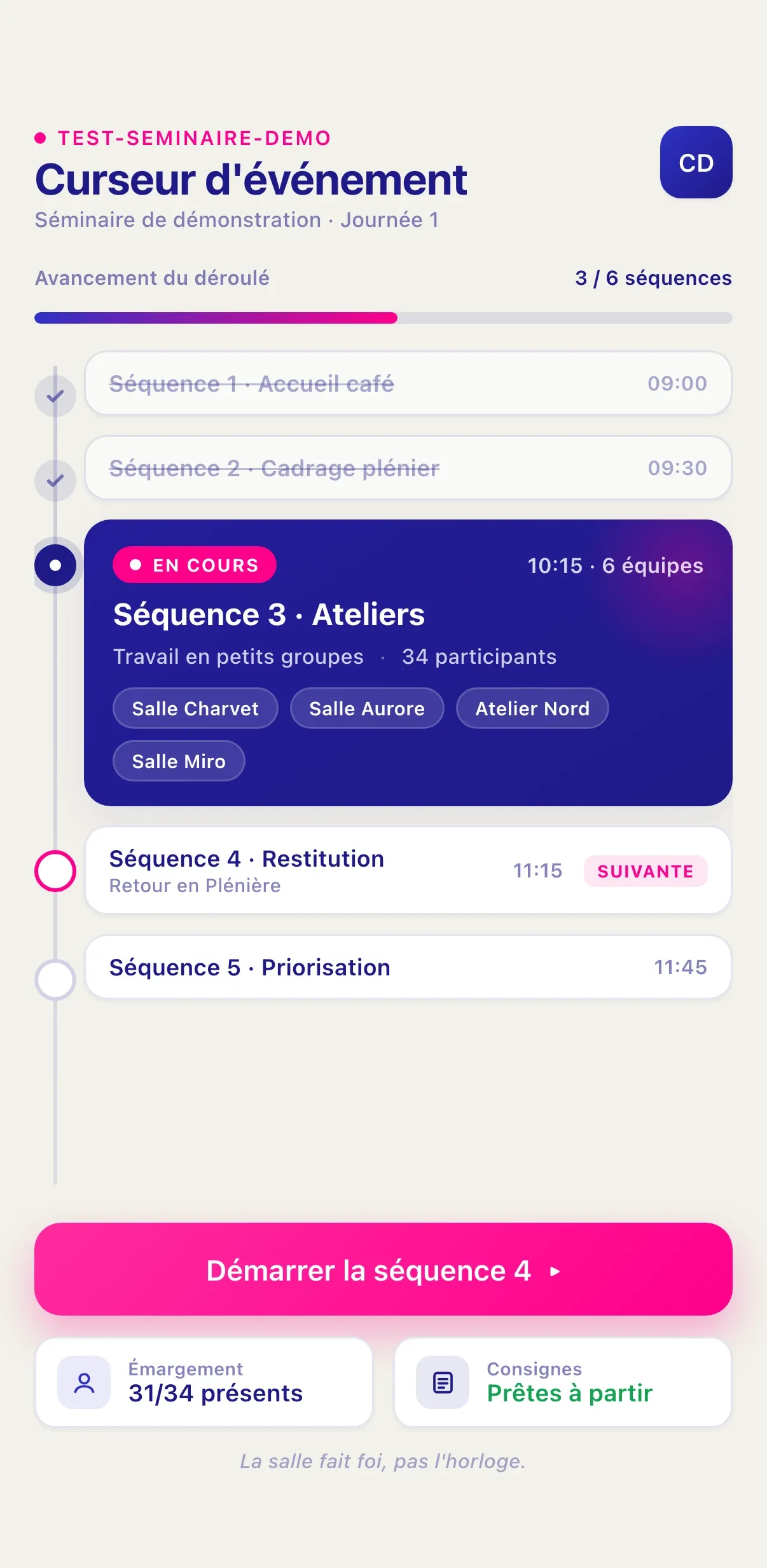
The sequence moves on when the facilitator says so. Attendance included, even from a photo of the badges.
- 07
Participant app
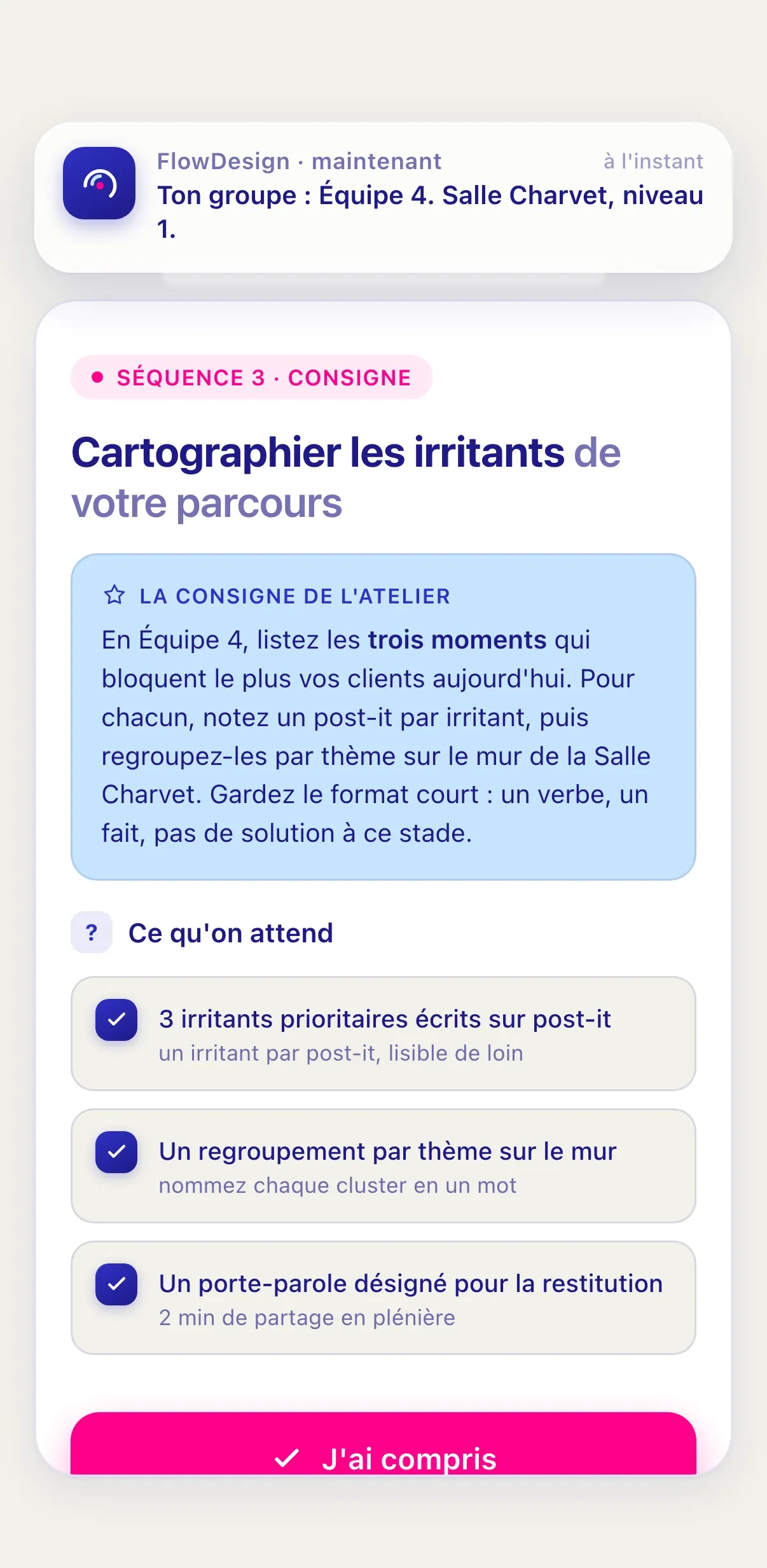
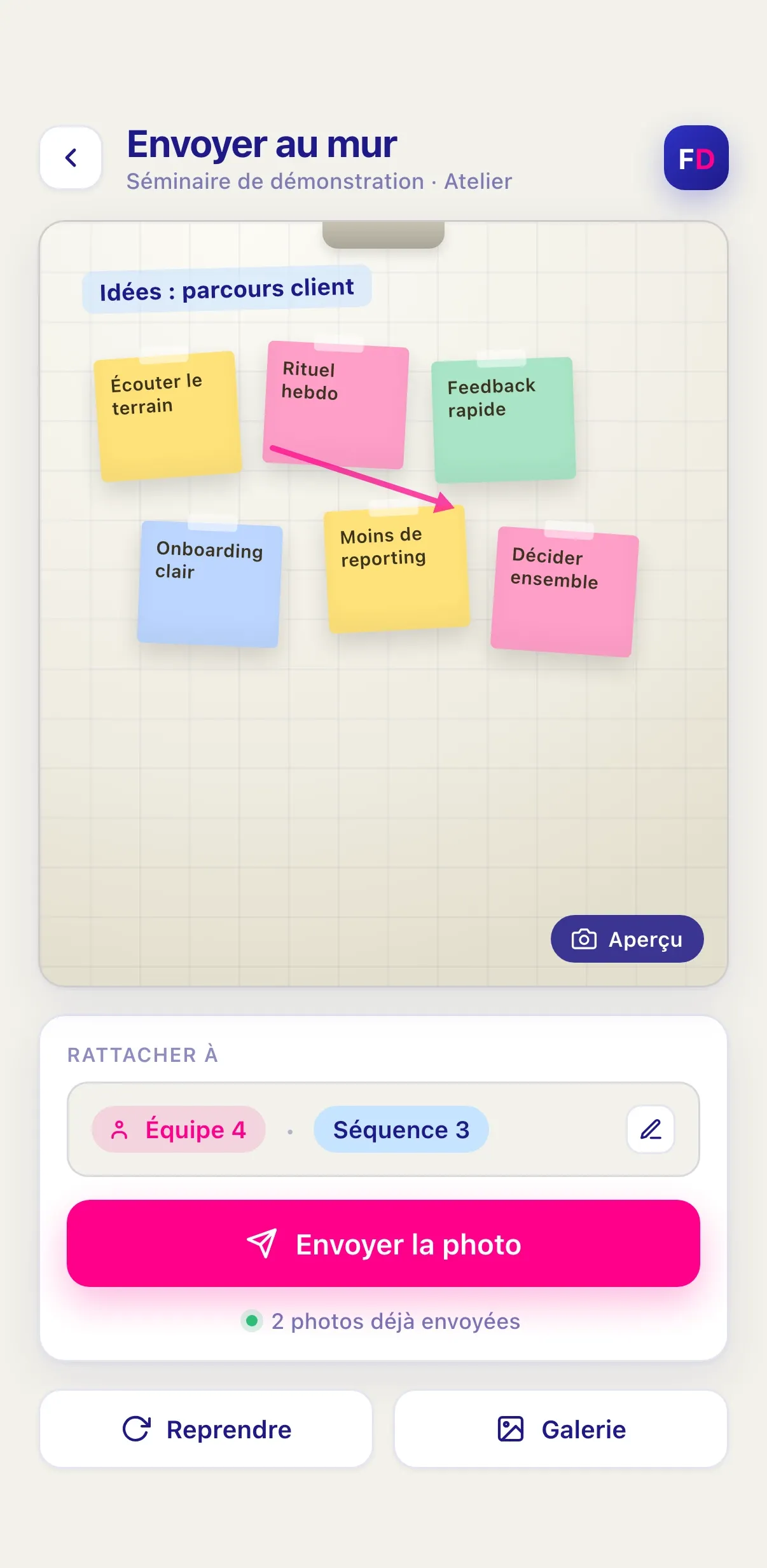
Everyone gets their team, room and instructions on their phone, and sends photos and audio from the workshop.
- 08
Last-minute changes
Late arrivals and no-shows handled in one move, without redoing badges or re-running the teams.
- 09
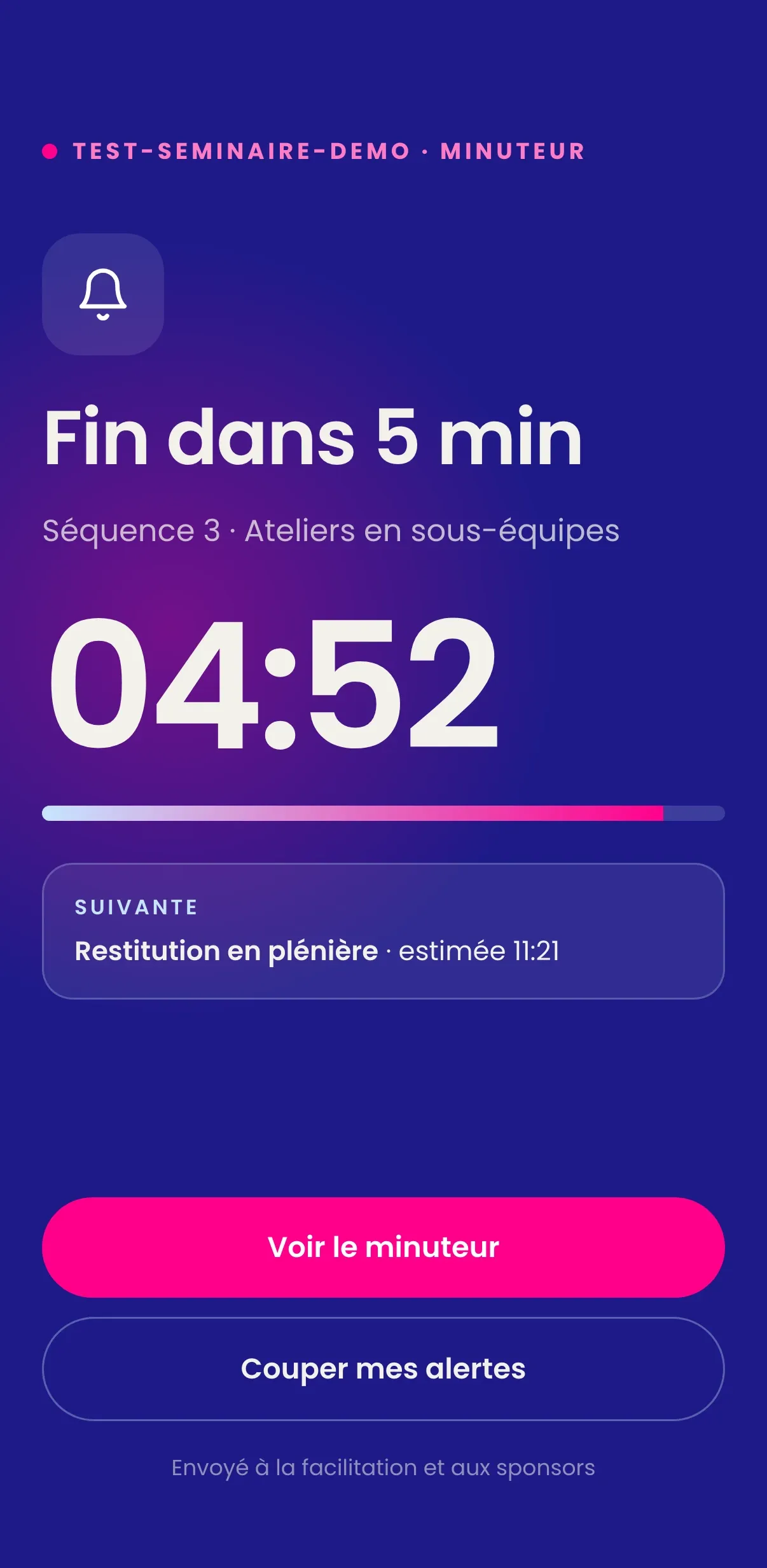
Stage timer
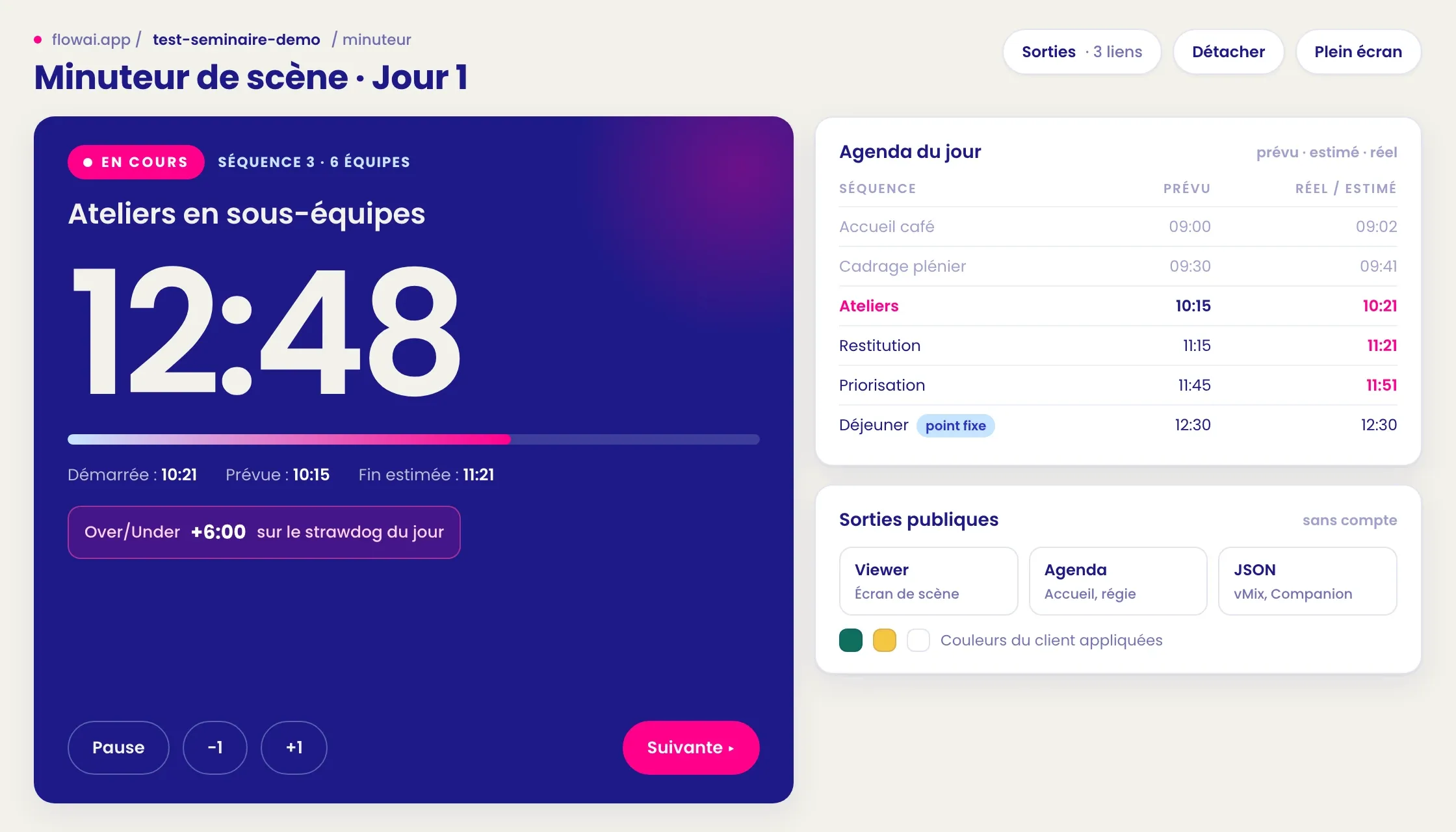
Based on when the sequence actually started.
- 10
Capture
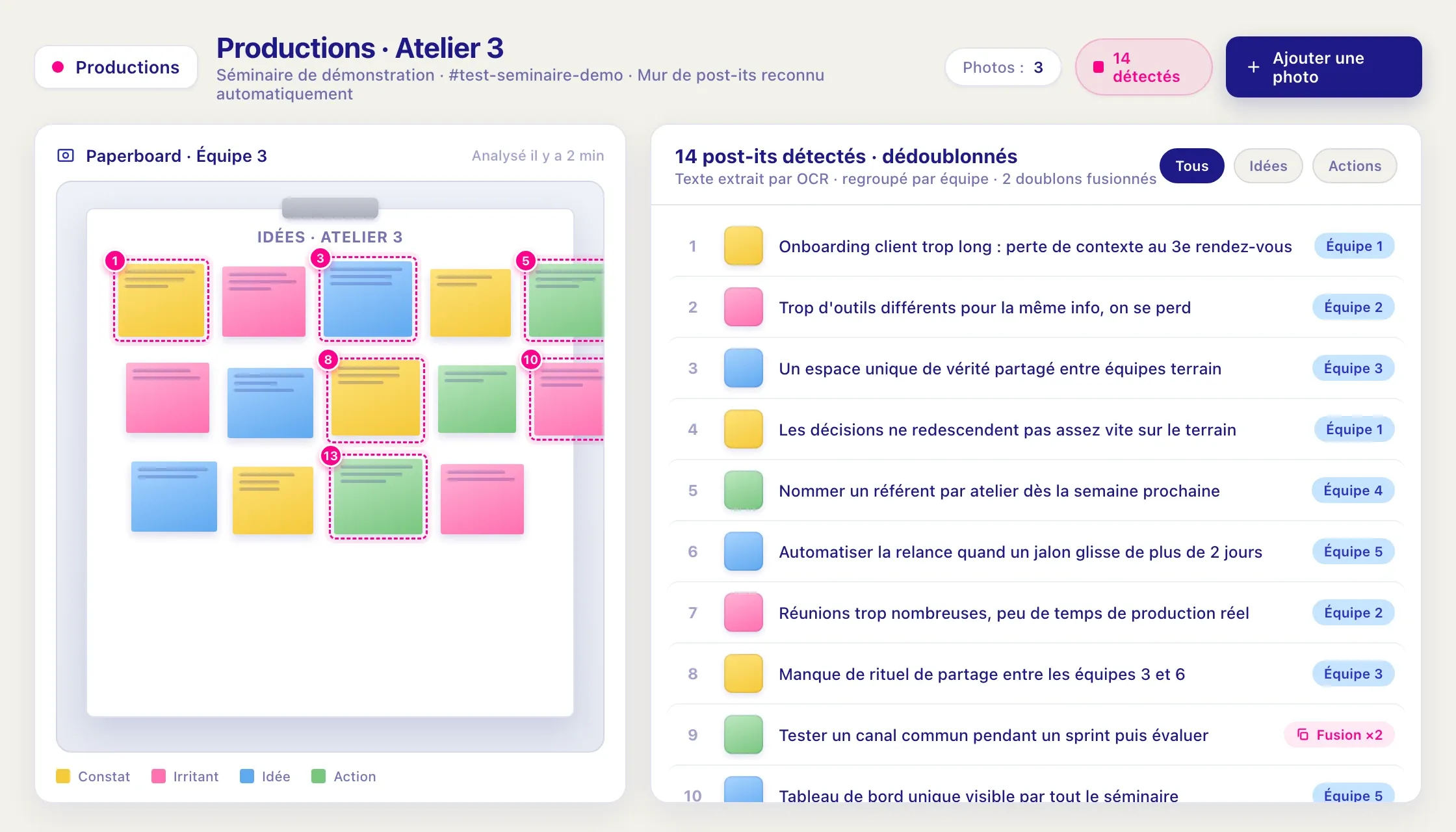
Sticky-note walls and spoken report-backs transcribed.
- 11
Report-back
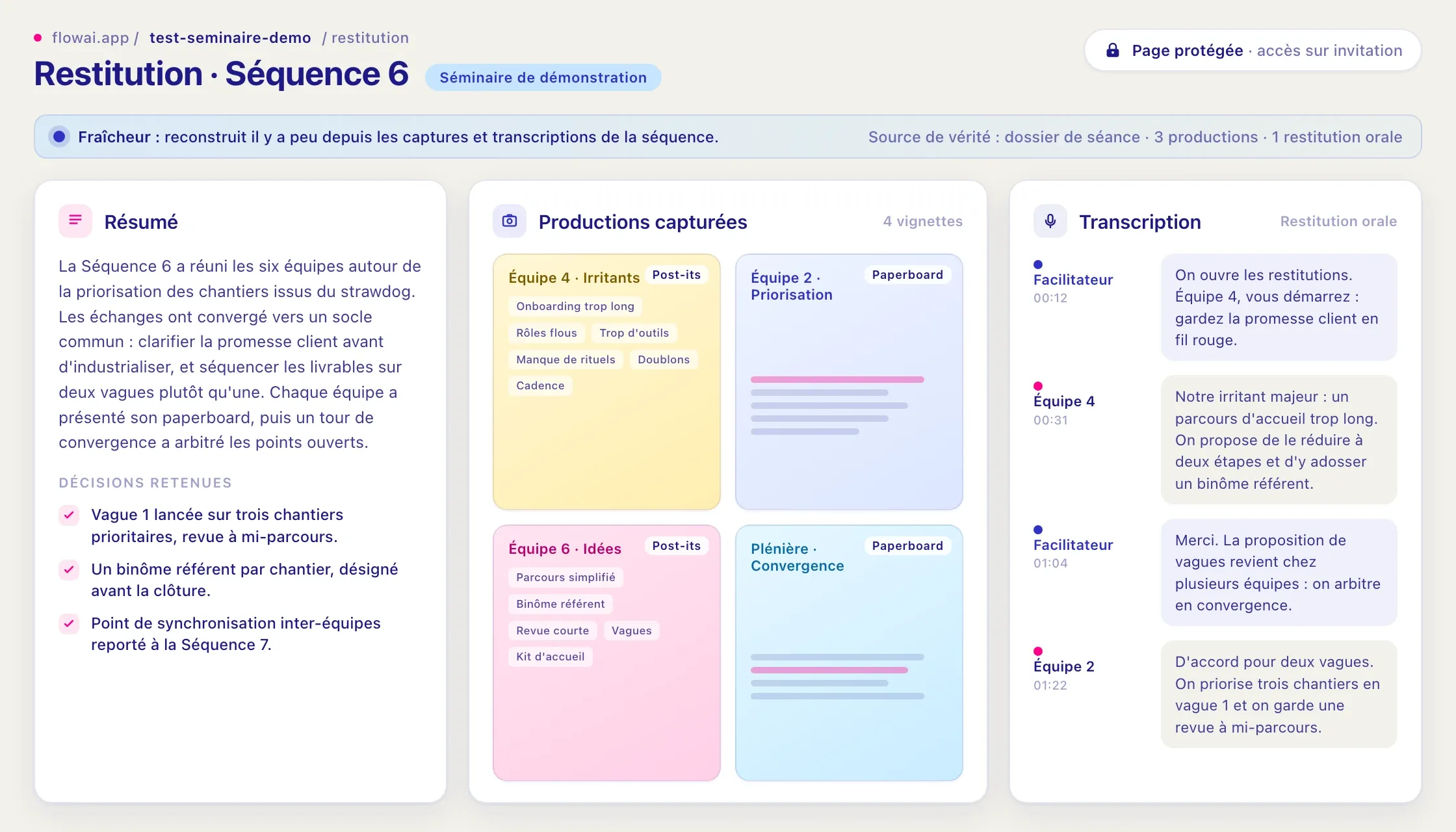
One page per sequence while the room is still working.
- 12
Session pages
Voting, jury grids, live rankings, workshop sign-up by QR code.
- 06
- After
Deliver
3 steps- 13
Final deliverable
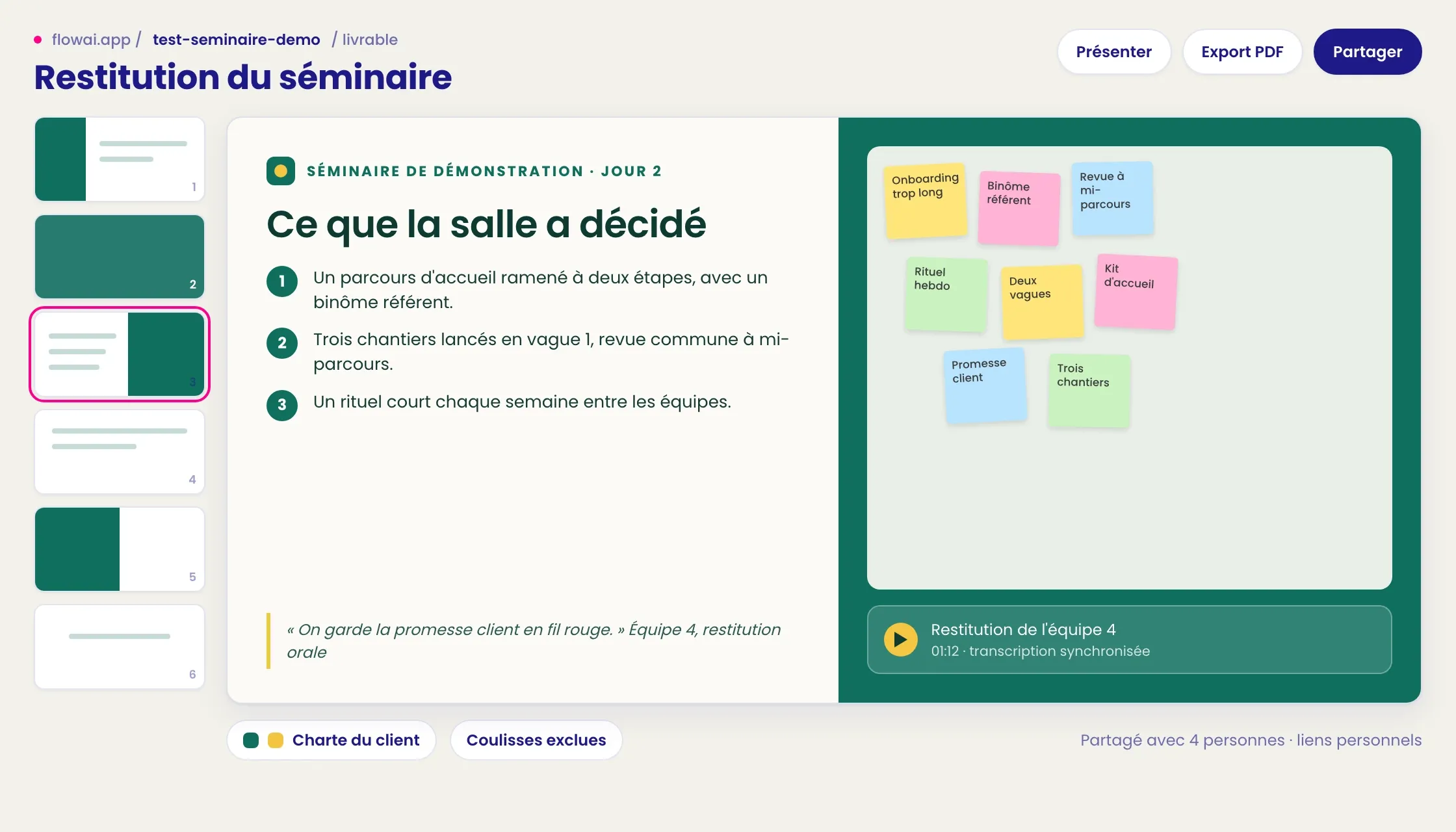
In your colours, linked to what the room produced.
- 14
Training
The seminar becomes a documented training course.
- 15
Review
Session closed, feedback and gaps between plan and reality: what was improvised becomes a method.
- 13
What is flowAI?
An AI assistant in Slack, connected to Claude, plus a web app with one space for the organiser, one for the facilitation team and one for participants. flowAI takes design intentions and turns them into production: teams, badges, seating, documents. It is used on our projects and presented at flowai.getflowdesign.com.
How does flowAI help prepare a seminar?
With our method, and that is what makes it valuable. We wrote down in flowAI the way we work: the scoping matrix, from what comes in to what must come out, the first draft of the run of show made to be torn up, our rules for composing teams and pacing sequences. Its suggestions follow those rules, not a generic agenda template. From the brief, it drafts a first run of show as a table: timings, layout, roles, tools, team composition rules. It imports and cleans participant lists, builds teams from diversity rules, and prepares room plans, badges, signs and pre-event questionnaires. The team approves each step before anything goes out.
What does flowAI do during the seminar?
It follows the session in progress and sends instructions to participants’ phones. It handles attendance, including from photos. It captures outputs: sticky-note walls photographed and read, discussions transcribed with timestamps. If someone arrives late or drops out, it rebuilds the teams with the smallest possible change.
How does flowAI produce a seminar report?
It gathers the material into a reporting kit where every item is linked to its source, a photo or a passage of transcript. The Flow Design team selects, corrects and organises. flowAI then generates a web page in the client’s branding and a PDF. A live synthesis can also be shown during the seminar, often after lunch.
Where are the people while flowAI works?
Wherever judgement is needed. Designing the seminar, facilitating, choosing what the group is shown and approving the report all stay human. flowAI takes the repetitive production: lists, documents, capture, formatting. That is what frees the team to be fully with the group, from the first minute to the last.
Is flowAI also used for training courses?
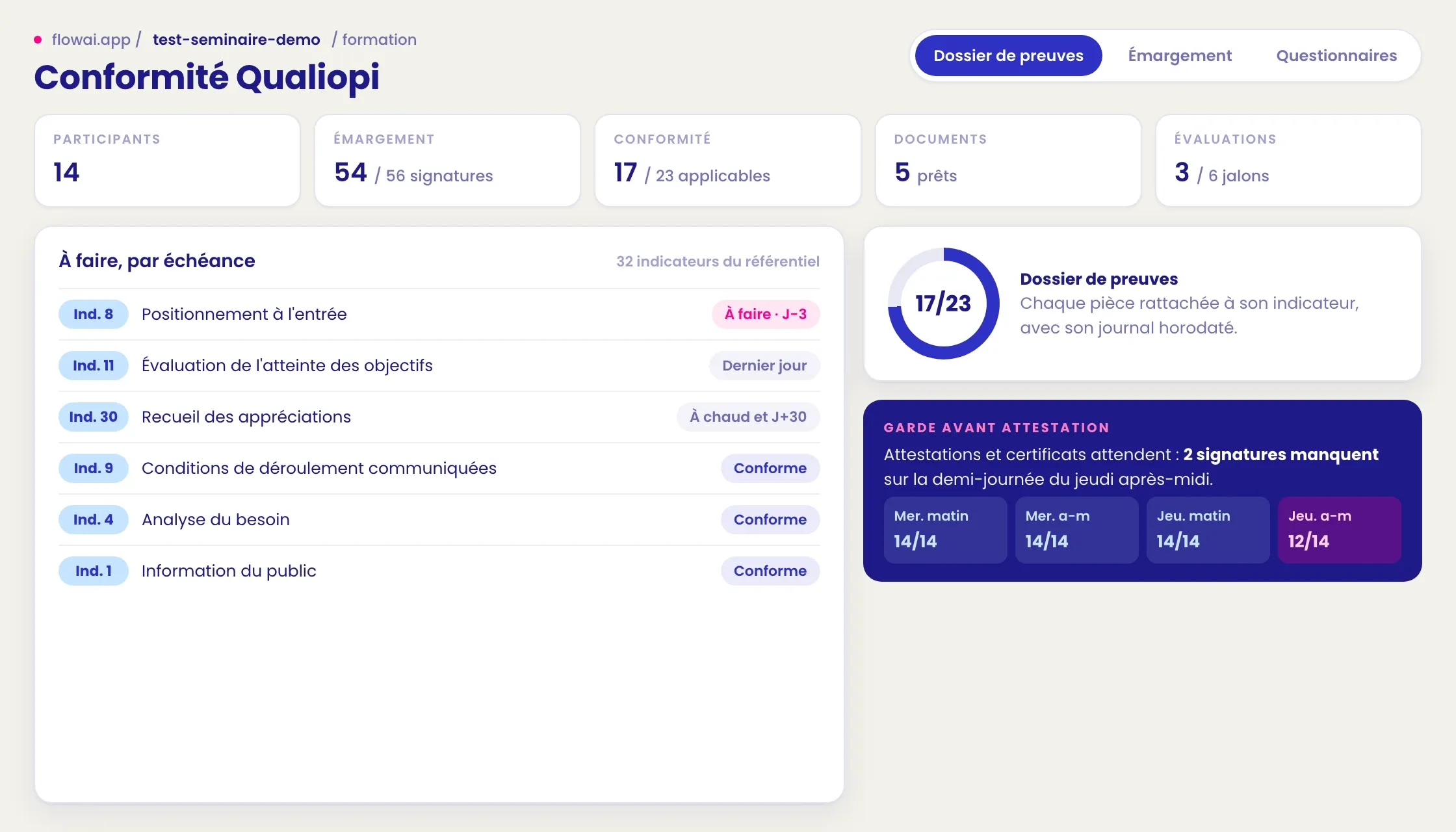
Yes. A module keeps a course’s file: programme, agreement, invitation, rules, attendance, certificates of completion, satisfaction surveys and a complaints log. Each document is filed against a quality indicator. We use it for our own generative AI courses, so nothing has to be retyped from one document to the next.
What it looks like
Real screenshots, taken on a demo seminar.
Frequently asked questions
Can I use flowAI’s design agent from Claude or ChatGPT?
Yes. FlowAI Designer, our seminar design agent, is open for free to your AI assistant through a public MCP server: https://www.getflowdesign.com/mcp. It builds the scope and a first run-of-show with you, and can introduce you to the team. How to connect it is explained on the site’s “MCP server” page.
Does flowAI replace the facilitation team?
No. flowAI smooths production; it does not produce in place of people. It takes on the preparation and formatting work that would otherwise keep the team up late.
Which AI model does flowAI use?
Claude, Anthropic’s model. flowAI also relies on Slack, Google Sheets and an MCP connection that links the assistant to its tools.
What happens to seminar data?
Before the seminar, we agree with you on what is captured. The data is used to prepare and report on your seminar. The stories we publish are anonymised and do not allow a client to be identified.
Can we buy flowAI on its own?
flowAI is Flow Design’s working tool and is used on our projects, with our team. If you want agents working inside your own teams, that is what our agentic transformation support is for.
Do participants need to install an app?
No. The participant space opens on a phone to receive instructions and send photos. It is optional: a seminar works just as well with a team photographing the outputs.
Can we see flowAI in action?
Yes, on request, on a fictional seminar. Write to us to set up a demo.